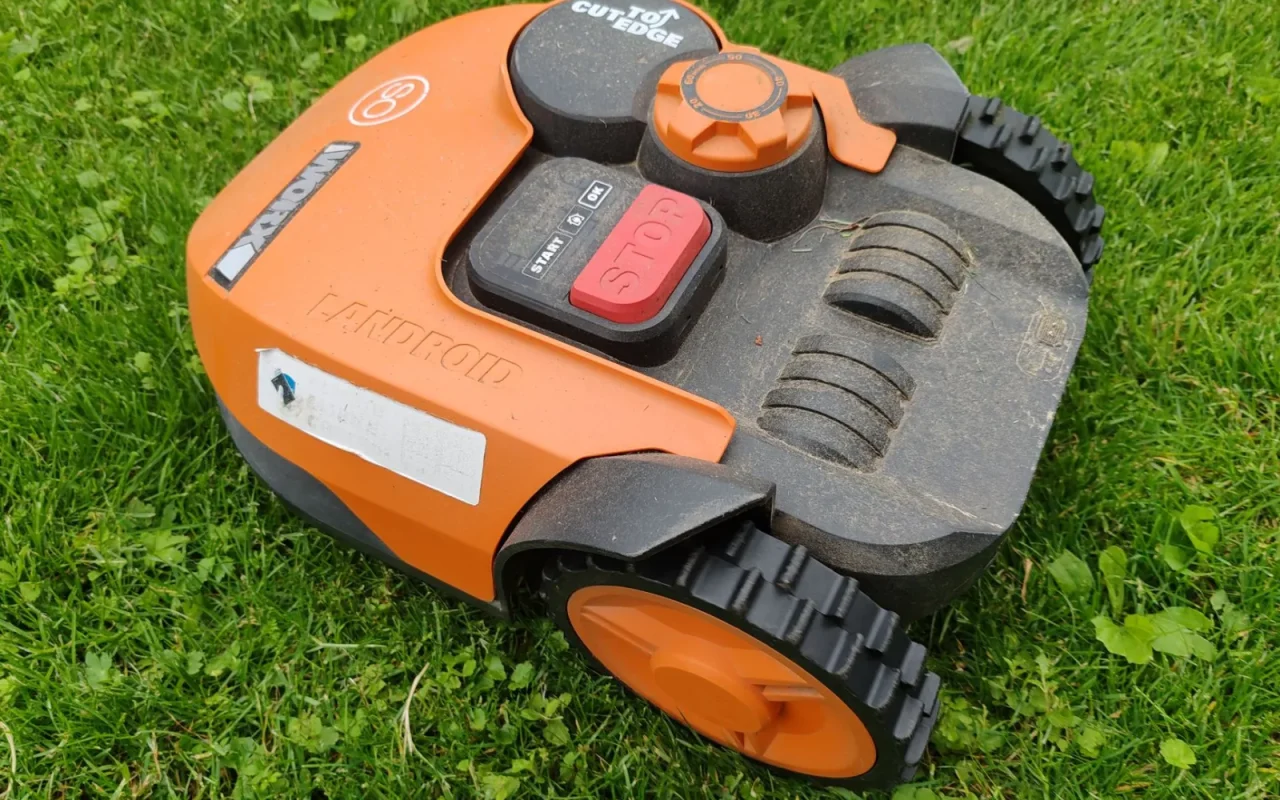
Sensors are the reason a robot mower is safe enough to run around kids and pets, and also the reason it sometimes quits for no obvious cause. I once spent a whole evening convinced my mower's motor was dying, when the real problem was a pea-sized clod of mud on the underside fooling the lift sensor into thinking it was being carried. The machine was working perfectly; it just could not tell. That experience reframed how I troubleshoot these things. A stop that looks like a serious fault is very often a sensor being lied to by dirt, and that is something you can usually fix in ten minutes.
Step 1: Understand What Each Sensor Does
Knowing the job of each sensor tells you which one is misbehaving. The lift sensor stops the blades in a fraction of a second when the mower is picked up, so an edge or handle that reads as lifted will halt cutting. The tilt sensor does the same on steep angles or when the deck is tipped, protecting against blade exposure. Bump or collision sensors detect contact with obstacles and make the mower reverse and turn. When one misreports, the mower behaves as if the event is real: it stops, reverses in circles, or refuses to cut. Matching the symptom to the sensor is the fastest way to know where to look.
If you are just getting oriented, Robot Mower Troubleshooting: Fix Common Problems is the best place to begin.
Step 2: Clean the Underside and Sensor Areas
Start with the cheapest fix, because dirt causes most sensor faults. Power the mower off for safety, tip it back or over per the manual, and clear packed grass, mud, and clippings from the deck, wheels, and any visible sensor windows. A caked underside adds weight and pressure that can trip lift and tilt sensors into a false alarm. Wipe optical sensor lenses with a soft, dry cloth, and gently free any bump bumper or floating body panel that is stuck by compacted debris so it can move freely again. Do this cleaning routinely and a surprising share of phantom lift and tilt stops simply stop happening.

Step 3: Check the Bump Sensor and Body Movement
Many mowers detect collisions through a floating outer shell that shifts slightly on contact. If that shell is jammed by a trapped stone, a stiff clip, or dried mud, the mower reads a permanent bump and reverses endlessly or steers in tight circles. With the power off, press the body gently in each direction and feel for smooth, springy movement that returns to center. Look for grit lodged in the gap between the shell and the base. Free anything binding it, then power up and watch the mower drive: it should move straight until it meets a real obstacle, then back off cleanly rather than dodging phantoms.
Step 4: Test the Lift and Tilt Response Deliberately
Once things are clean, confirm the safety sensors still work correctly, because they must. On a safe patch, with the mower running per the manual, gently lift the front or the handle and check that the blades stop almost instantly. Lower it and confirm it resumes. Tip it slightly and watch the tilt sensor react. You want a crisp, immediate response. If the blades do not stop when lifted, that is a serious safety fault and the mower should not be used until a service center checks it. If it stops far too easily on flat, level ground, a sensor may be oversensitive or still partly obstructed.
Sensor Troubleshooting, Step by Step
- Match the symptom to the lift, tilt, or bump sensor
- Power the mower off before touching the underside
- Clear packed grass and mud from the deck and body
- Wipe optical sensor lenses with a soft dry cloth
- Free any floating body panel or bumper that is stuck
- Feel for smooth, springy movement of the outer shell
- Lift the mower and confirm the blades stop instantly
- Tip it gently to check the tilt sensor reacts
- Restart the mower fully to clear stuck sensor states
- Install any pending firmware update through the app
- Run the sensor or level calibration on flat ground
- Stop using it and call service if a lift stop fails
Our companion piece, Robot Mower Keeps Getting Stuck? Try This, picks up where this leaves off.
Step 5: Recalibrate or Reset When Needed
If cleaning and freeing the body do not settle the sensor, turn to the software. Power the mower fully off, wait a minute, and restart it, which clears many stuck sensor states. Open the app and install any pending firmware update, since sensor thresholds and tilt calibration are handled in software that manufacturers refine over time. Some models offer a sensor or level calibration routine in the settings; run it on flat ground following the on-screen steps. Note your existing schedule and zones before any deeper reset. A recalibration often cures a mower that stops on gentle slopes it used to climb without complaint.
For broader background, the fundamentals of robotic mowers is a solid reference.
When a Sensor Is Genuinely Faulty
Some sensor problems are real hardware failures, and you should not paper over a safety device. If the lift sensor fails to stop the blades when you pick the mower up, stop using it at once and contact the seller or an authorized service center. The same goes for a tilt or bump sensor that stays dead after cleaning, updating, and calibration, or for water damage and cracked sensor housings. Sensors are part of what keeps fingers and paws safe near spinning blades, so this is not a place to improvise a workaround. Always follow your model's manual, since sensor layouts and tests differ between brands.
A final word
Sensor faults are the great trick of robot mower ownership: they look like expensive failures and usually turn out to be a smear of mud or a trapped stone. Work from the symptom to the sensor, clean before you calibrate, and free anything that binds the floating body before you touch the software. The one line you must not cross is defeating a safety sensor to silence it. Keep the lift and tilt checks honest, hand any genuine failure to a proper repairer, and your mower goes back to reading the lawn instead of imagining problems that were never there.
This connects neatly with Why Your Robot Mower Gets Lost and How to Fix It.