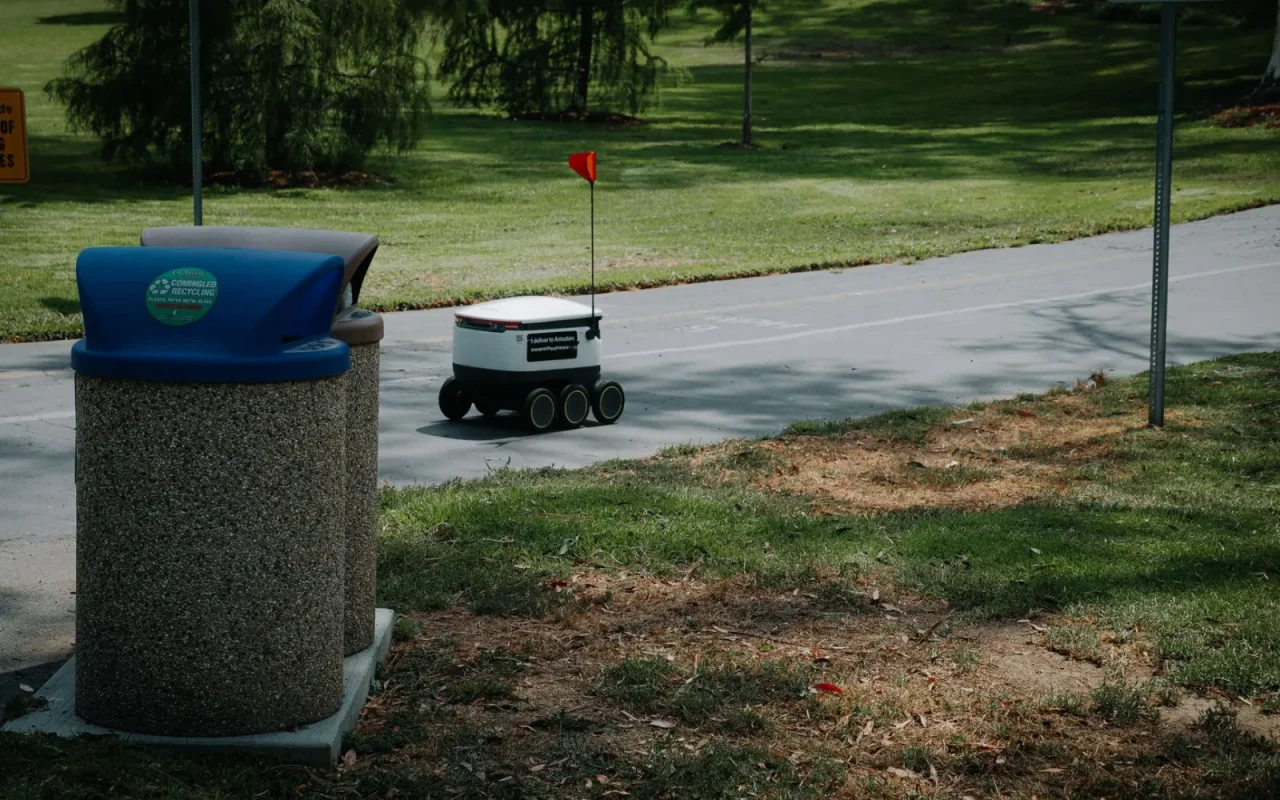
There is a particular sinking feeling that comes from looking out the window and seeing your robot mower parked in the middle of the lawn, blades still, hours before it should be done. It made it partway, then simply gave up. I have found mine stranded like this more than once, and the cause has ranged from a clump of clippings under the deck to a schedule that ran into a rainy afternoon. A mid-mow stop is different from a mower that never leaves the dock, because it started fine and something interrupted it. That distinction narrows the search a lot, and this order walks you through it.
Read Where and How It Stopped
The spot where the mower froze is half the diagnosis, so start there. Note whether it stopped in open lawn, wedged in a corner, on a slope, or near a flower bed, and check the app for the exact alert it logged. A mower stranded mid-lawn with a full charge points to a jam or a sensor trip, while one that quit near the edge may have lost a boundary signal. One that halted on a damp bank likely lost traction. Photograph the position and copy down the alert wording before you move it. That two-minute habit tells you which of the following checks to run first instead of guessing.
For the bigger picture, our main guide Robot Mower Troubleshooting: Fix Common Problems sets the scene.
Clear Jams Under the Deck
A blade or drive that meets sudden resistance will stop the mower to protect the motor, and this is the most common mid-mow culprit. Power the machine off and flip it over on a soft surface. Look for a stick, a pine cone, a fallen fruit, a stone, or a dense wad of wet clippings packed around the blade disc. Tall or thick grass in one part of the lawn can also stall the blades if the cutting height is set low. Clear anything you find by hand, spin the disc to confirm it turns freely, and check the wheels for wrapped string or grass. Restart and watch whether it reaches the same spot again.
Check the Battery and Charge Behavior
Sometimes the mower stops simply because it ran low, which is normal, but early stops hint at a battery problem. A healthy pack runs 60 to 120 minutes before heading back to charge on its own. If yours quits far sooner than it used to and does not return to the dock, the battery may be aging and losing capacity after several seasons. Cold weather also cuts run time sharply, so early-spring stops can be temperature related. Check the app for the charge level at the moment it halted. A mower that stops with plenty of charge left is not a battery issue, so move on to sensors and terrain instead.
Look at Sensors and the Underside
Safety sensors are built to stop the machine instantly, so a dirty or triggered one reads as a reason to quit. Caked mud on the underside can fool a lift or tilt sensor into thinking the mower was picked up, halting it flat on the grass. A bump sensor pressed by a stone or a low branch reads as a permanent collision. If it stopped tilted on a slope, the tilt sensor may have crossed its safety threshold on ground that is genuinely too steep. Power down, wipe the sensor windows and the underside, and clear anything pressing on the bumper. A surprising share of mid-mow stops vanish after this clean.
Mid-Mow Stop Checklist in Order
- Note the exact spot and copy the app alert wording
- Confirm the charge level at the moment it stopped
- Power down and flip the mower to inspect the deck
- Remove sticks, cones, stones, or packed wet clippings
- Spin the blade disc to confirm it turns freely
- Clear grass or string wrapped around the wheels
- Wipe the lift, tilt, and bump sensors and the underside
- Check whether it stopped tilted on a slope
- Walk the lawn for ruts, roots, or muddy soft spots
- Set no-go zones around any repeat trouble spot
- Check the app for a rain or temperature hold
- Restart the mower and install any firmware update
Many readers move on to Fixing a Lost GPS Signal on a Robot Mower next.
Rule Out Terrain and Getting Stuck
A mower that stops in the same place every run is telling you about the lawn, not the robot. Ruts, exposed tree roots, soft muddy patches, and narrow gaps between obstacles are classic traps. On wet grass, drive wheels spin and lose grip on even a mild slope, stranding the machine partway. Walk the lawn and look for the specific hazard where it keeps halting. Fixing the ground often works better than fixing the mower: fill a rut, widen a passage, or set no-go zones around trouble spots in the app. Shifting the schedule to drier hours also cures a mower that keeps slipping to a stop on damp mornings.

If you like to read around a topic, see lithium-ion battery basics.
Rule Out Weather, Then Restart or Update
Sometimes the mower is behaving exactly as designed. A rain sensor will send it home or pause it mid-cycle when a shower starts, and owners often mistake that for a fault. Check the app for a rain or temperature hold before assuming trouble. If weather is not the answer and the mower keeps stopping, power it fully off, wait a minute, and restart it, then install any pending firmware update, since scheduling and safety logic live in software. If the same stop repeats after a clean, a clear underside, good charge, and safe terrain, note the alert and model number and contact the seller or service center, following your manual throughout.
The short version
A mower that stops in the middle of the lawn is not being difficult, it is reacting to something specific it met on the way. Because it started fine, you can skip charging and docking faults and go straight to what interrupted it: a jam, a fooled sensor, a low battery, a rut, or a passing shower. Read where it stopped, work through the checks in order, and watch a full cycle if the cause hides. Most mid-mow stops trace to one small, fixable thing, and once you clear it the mower returns to trimming a little every day without stranding itself in the grass.
Our companion piece, Robot Mower Missing Spots in the Lawn, picks up where this leaves off.