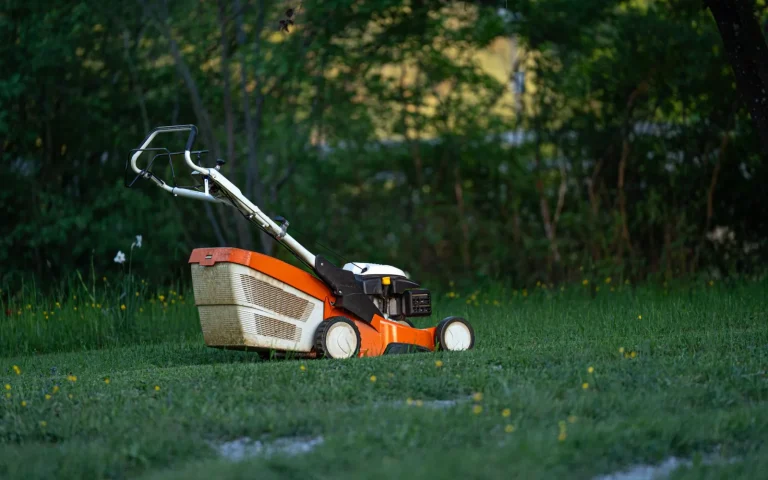
The mower itself was cutting fine. What drove me up the wall was the little offline symbol that kept appearing in the app, right when I wanted to tweak the schedule from the couch. Sound familiar? Connectivity gremlins are one of the most common complaints owners have, and they are almost never about the blades or motor. They live in the space between your router indoors and a machine parked at the bottom of the garden. Once you understand that gap, the fixes get simple. Here is the order I now work through whenever a mower drops off the network, starting with the cheapest checks first.
Step One: Figure Out Which Connection Actually Broke
A robot mower connection has three links, and naming the broken one saves hours. First, the mower talks to your home WiFi router. Second, the router talks to the internet and the manufacturer cloud. Third, your phone app talks to that cloud or to the mower directly over Bluetooth for close-range control. If the app shows offline but the mower cuts on schedule, the mower likely lost WiFi. If everything is offline including your phone, suspect the internet or router. Try loading a web page on your phone while standing beside the dock. That one test tells you whether you have a garden signal problem or a wider outage, and it points you at the right fix.
If you are just getting oriented, Robot Mower Troubleshooting: Fix Common Problems is the best place to begin.
Step Two: Check the Signal Where the Mower Lives
Routers sit indoors, mowers sit outdoors, and brick, glass, and distance eat WiFi. Walk to the charging base with your phone and look at its signal bars, or use a free WiFi analyzer app to read the strength right there. If it is weak or drops out, the mower is fighting the same weak signal. A cheap WiFi extender, a mesh node near an outside wall, or an outdoor-rated access point often fixes a garden dead zone for good. Even repositioning the router higher and away from thick walls can help. Do not waste time re-pairing a mower that simply cannot hear the router from where it parks each night.

Step Three: Confirm the WiFi Band and Password
Here is the trap that catches the most people. Many robot mowers only connect to a 2.4 GHz WiFi band, not the faster 5 GHz band, because 2.4 GHz reaches farther outdoors. If your router broadcasts both under one merged name, the mower can grab the wrong band and fail. Log into your router and either split the bands into separate names or set up a dedicated 2.4 GHz guest network for the mower. While you are there, double-check the WiFi password, since a recent change is a classic reason a device silently drops off. Reconnect the mower to the confirmed 2.4 GHz network and watch whether it holds.
Step Four: Restart Everything in the Right Order
The humble restart clears a shocking share of connection faults, but order matters. Power down the mower fully first. Then reboot your router by unplugging it for thirty seconds and letting it fully restart, which can take a couple of minutes. Once the router is back and stable, power the mower on and give it time to rejoin. Finally, force-close the app and reopen it, or sign out and back in. Doing this in sequence, router first, then mower, then app, avoids the frustration of a mower trying to connect to a router that is still booting. This alone resolves many temporary drops.
WiFi Fixes to Try in Order
- Test the internet on your phone beside the dock
- Read the WiFi signal strength at the charging base
- Add an extender or mesh node for a garden dead zone
- Connect the mower to the 2.4 GHz band, not 5 GHz
- Split merged WiFi bands or make a 2.4 GHz guest network
- Re-enter the WiFi password in case it recently changed
- Reboot the router, then the mower, then the app in order
- Update the mower app through your phone store
- Grant the app location and local network permissions
- Confirm you are signed into the correct account
- Remove and re-add the mower for a clean pairing
- Install any pending mower firmware update near the router
For a closer look, see Fixing a Lost GPS Signal on a Robot Mower.
Step Five: Repair the App and the Account
If the network is solid but the app still will not talk to the mower, the software layer needs attention. Update the app through your phone store, since an outdated version can lose compatibility after a mower firmware update. Check that your phone has granted the app location and local network permissions, which many mower apps need for Bluetooth pairing and discovery. Confirm you are logged into the correct account, not a second one you made by accident during setup. If pairing still fails, remove the mower from the app and add it again fresh. A clean re-pair often clears a stale link that no amount of restarting will fix.
It is worth skimming the fundamentals of robotic mowers for extra context.
Step Six: When Firmware or Hardware Is the Culprit
Once in a while the problem is deeper than your setup. A pending firmware update can leave connectivity glitchy until it installs, so run the update while the mower sits close to the router with a strong signal. If the WiFi module inside the mower is failing, you may see it pair briefly then drop every time, regardless of signal or band. Note whether the mower still runs its schedule offline, because a mower that mows fine but never reports back points to a communication fault rather than a dead machine. If a clean re-pair, a band fix, and a firmware update all fail, contact the seller and follow your model's official manual for a reset.
The takeaway
Connection trouble feels maddening because the mower keeps working while the app pretends it is gone. Once you split the problem into three links, home WiFi, internet, and app, the noise clears and the real cause stands out. Nine times out of ten it is either a weak garden signal or a 5 GHz band the mower cannot use, and both have cheap, permanent fixes. Work the list from the top, restart things in order, and re-pair when in doubt. Get the mower a strong 2.4 GHz signal where it parks, and that little offline icon will finally leave you alone.
It helps to read this alongside Robot Mower Stops in the Middle of Mowing.