My first robot mower gave me a scare in week two. It sat in the middle of the lawn, blinking a red light, and I was sure I had bought a lemon. Turns out a clump of wet clippings had jammed under the deck. Ten seconds with a plastic scraper fixed it. That moment taught me the real lesson of owning one of these machines: most faults look dramatic and turn out to be small. This guide is the mental map I wish I had that afternoon, sorted by symptom so you can find your problem fast.
Start With the Signal the Mower Is Giving You
Before you touch anything, read what the machine is telling you. A robot mower talks through three channels: the status light or screen on the body, the app on your phone, and the sound it makes. A steady green usually means healthy, a blinking red or amber points to a fault, and a specific error code narrows it down further. Open the app first, because it often spells out the problem in words rather than blinks. Note whether the mower stopped on the lawn, near an obstacle, or at the dock. Where it froze is half the diagnosis. Writing down the exact wording of any alert saves time if you later need support.
It helps to read this alongside Why Your Robot Mower Won't Leave the Base.
Power and Charging Faults Come First
If the mower is dead or will not wake, treat power as suspect number one. Check that the charging base has mains power and that the outlet itself works by testing a phone charger in it. Inspect the metal charging contacts on both the dock and the mower for grass, dirt, or corrosion, then wipe them with a dry cloth. A mower that docks but never charges often has dirty contacts or a base that lost its connection to the low-voltage cable. Cold batteries below freezing may refuse to accept a charge until they warm. If a lithium-ion pack has sat empty for months, it can take a long, slow first charge to recover.
Navigation and Boundary Problems
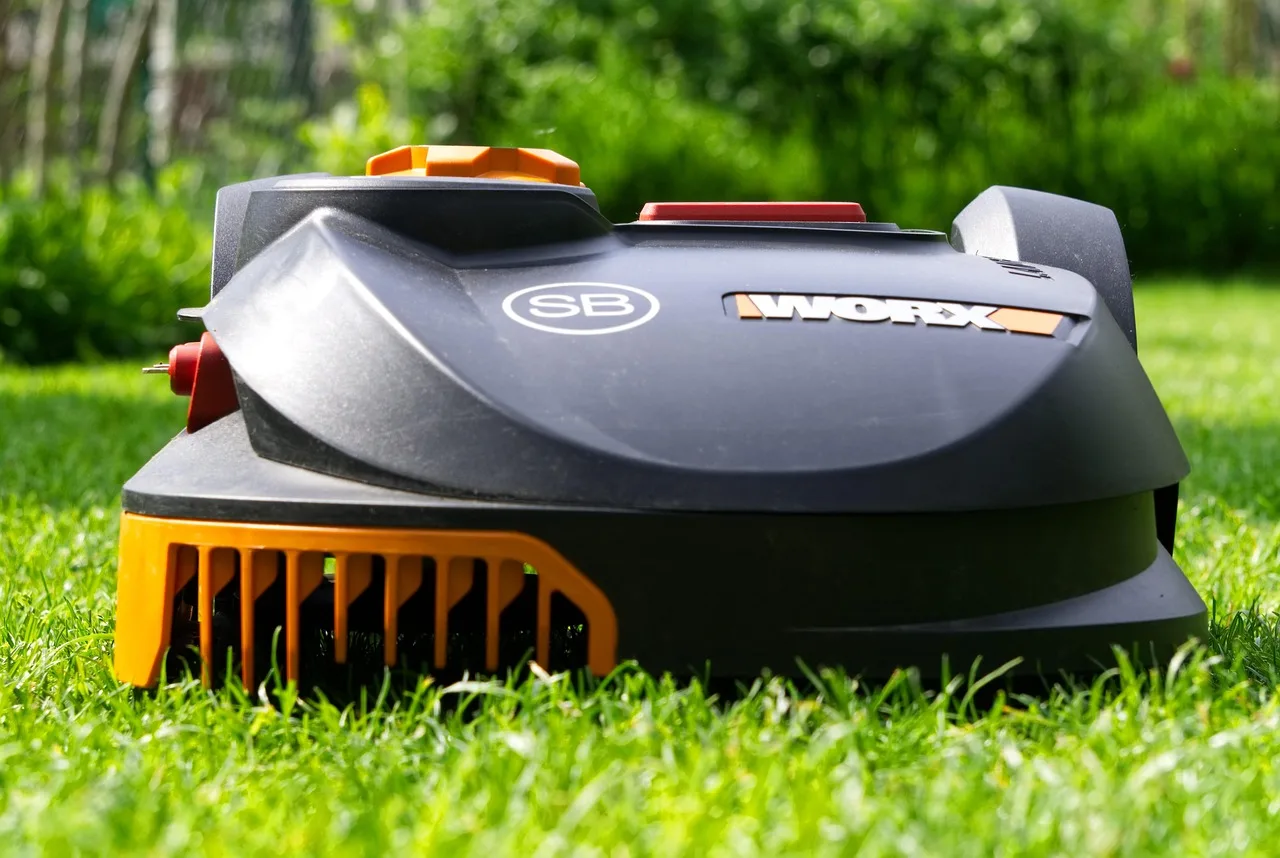
When the mower wanders where it should not, or refuses to leave, the guidance system needs a look. Boundary-wire models rely on an unbroken loop; a single cut anywhere and the whole perimeter goes silent, usually shown as a wire or loop error. A break often hides where a spade, an aerator, or a frost heave disturbed the ground. Wire-free GPS or RTK models depend on a clear sky view, so a mower that gets lost under trees or beside a tall wall may simply have weak signal. Check that the base station or reference antenna has not been bumped, since even a small shift can throw off a mapped lawn.
Getting Stuck and Cutting Complaints
A mower that keeps stranding itself is telling you about the lawn, not just the robot. Ruts, tree roots, narrow gaps, and steep damp banks are the usual culprits. Wheels that spin on wet grass often need a run schedule shifted to drier hours or a light clean of the treads. Uneven or missed patches usually trace back to dull blades, a cutting height set too low, or a run time too short for the lawn size. Replace small razor blades roughly every 6-8 weeks in season; a fresh set costs only a few dollars and fixes more cut-quality complaints than any setting change.
First Five Checks for Almost Any Fault
- Read the exact error in the app and write down the wording
- Note where the mower stopped: lawn, obstacle, or dock
- Confirm the charging base has working mains power
- Wipe the charging contacts on the mower and the dock
- Clear grass and debris from under the cutting deck
- Check the blades for dullness, cracks, or a jam
- Look for a cut, kink, or unplugged end in the boundary wire
- Clean mud off the lift, tilt, and bump sensors
- Restart the mower fully and let it try again
- Install any pending firmware update through the app
- Verify the schedule and no-go zones did not change
- Note whether rain or cold weather might explain the pause
If you want to go deeper, our guide to Robot Mower Wheels Slipping on Wet Grass covers the details.
Sensors, Rain, and Weather Behavior
Robot mowers are covered in sensors, and a dirty one acts like a fault. Lift and tilt sensors stop the blades in a fraction of a second, which is a safety feature, but caked mud on the underside can make the mower think it is being lifted and quit early. Bump sensors that stay pressed by a stone will make it reverse in circles. Rain sensors pause mowing on purpose, so a mower that keeps going home in a drizzle is working as designed, not broken. Wipe sensor windows and the underside during your normal cleaning, and many phantom faults simply vanish on their own.
For broader background, the fundamentals of robotic mowers is a solid reference.
When to Reset and When to Call for Help
A surprising share of glitches clear with the equivalent of turning it off and on again. Power the mower down fully, wait a minute, and restart it before assuming hardware failure. A firmware update through the app fixes odd app and scheduling bugs more often than people expect. Keep the model number, purchase date, and warranty details somewhere handy. If you smell burning, see a swollen battery, hear grinding from the motor, or the same error returns after a clean reset, stop and contact the seller or an authorized service center. Always follow the official manual for your specific model, since procedures vary between brands.
Many readers also find Robot Mower Making Strange Noises? What to Check helpful here.
You can go further with our piece on Why Your Robot Mower Cuts Unevenly.
The takeaway
Owning a robot mower gets a lot less stressful once you stop seeing a red light as a disaster and start seeing it as a message. Nine times out of ten the answer is a wipe, a blade, a cleared deck, or a restart. Work from the symptom, check power and blades before anything fancy, and keep a small log of what goes wrong. Reserve resets and service calls for the rare real fault. Do that, and the machine goes back to being the quiet helper you bought, trimming a little every day while you get on with your weekend.
If you want to go deeper, our guide to Robot Mower Error Codes and What They Mean covers the details.